Simplify CMT Work Orders with Automatic Equipment Data Entry
November 10, 2026
When scheduling a Field Density Test, the last thing you want is to spend time looking up nuclear gauge details or re-entering the same information.
It's a small task, but when you're managing multiple work orders every day, those extra steps add up.
At eFieldData, we're always looking for ways to make everyday tasks easier for CMT teams. One such improvement is connecting your Equipment Inventory directly to your work orders.
How Does It Work?
Let's take a Field Density Test as an example.
Your nuclear density gauge is already listed in eFieldData's Equipment Inventory, along with its manufacturer, model, serial number, asset number, and calibration information.
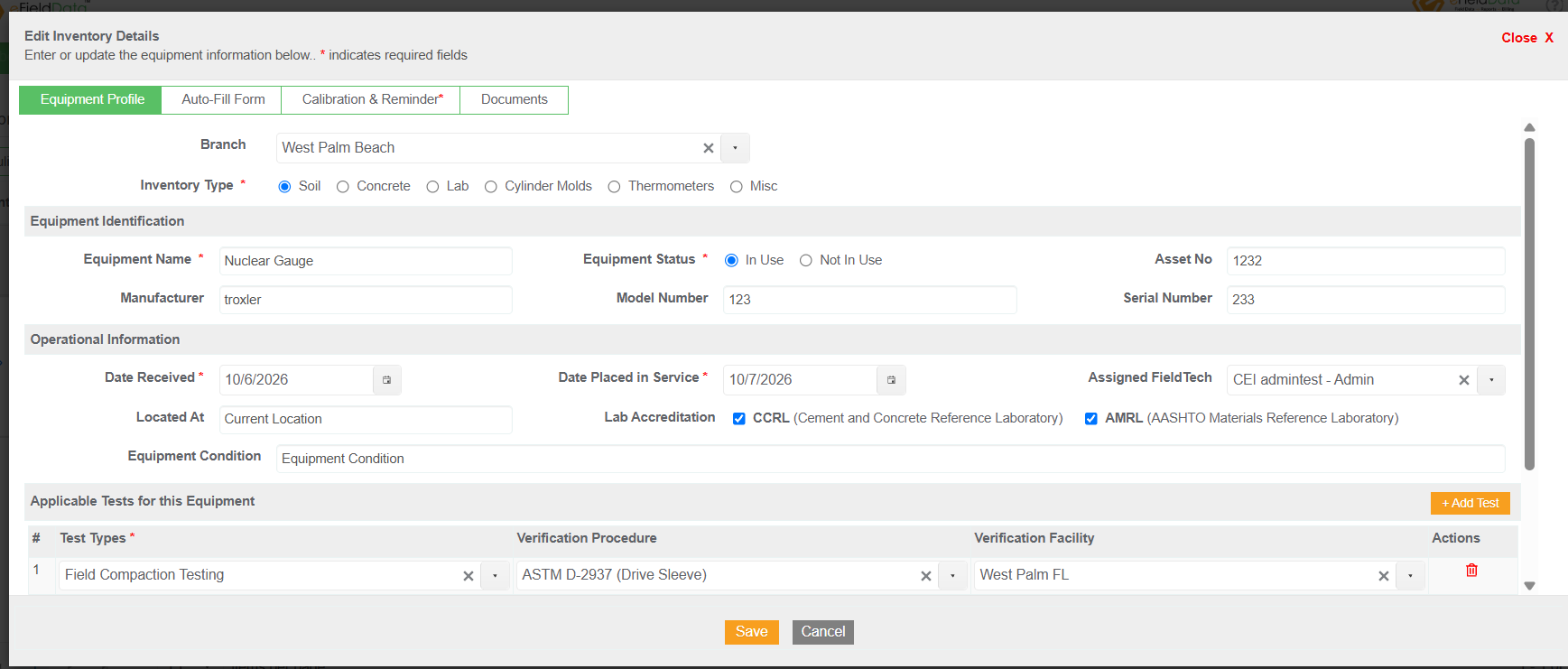
Nuclear Gauge in Equipment Inventory
When you create a work order for a Field Density Test, simply select the nuclear gauge you're assigning to the job.
eFieldData automatically brings in the equipment details from your inventory. There's no need to enter them again or look up the calibration information separately.
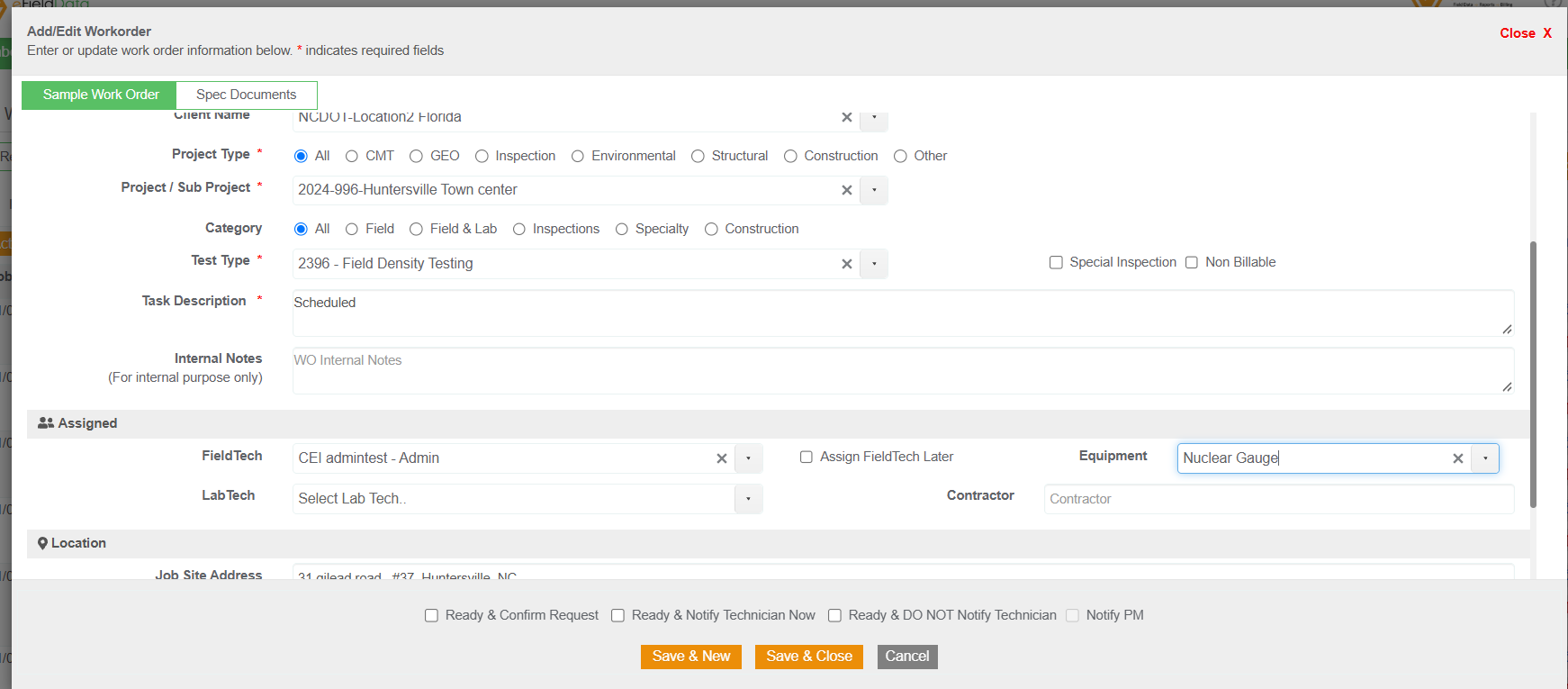
Selecting Equipment in a Field Density Test Work Order
Why Is This Useful?
For dispatchers and project managers preparing work orders, it means fewer steps and less manual entry.
For field technicians, it means having the equipment information tied to the job they're working on.
And for the company, it helps keep equipment records consistent and makes it easier to track which equipment was used on a particular job.
The same approach works for other field and laboratory equipment maintained in your Equipment Inventory.
Small Improvements That Make a Difference
Not every software improvement needs to be a major new feature. Sometimes, it's about removing a few unnecessary steps from something your team does every day.
Connecting Equipment Inventory to work orders is one of those improvements.
It's a simple way to save time, reduce errors, and keep your field operations better organized.
Want to see how it works?
eFieldData — Powerful | Affordable | Easy to Use