Create custom field inspection forms (DIY forms) in minutes—no programming required.
Convert your paper inspection forms into digital workflows using a simple drag-and-drop builder. Add custom forms to your existing eFieldData workflow so every inspection remains connected to scheduling, reports, approvals, QA/QC, and billing—whether you're digitizing Rebar Inspection, Bolted Inspection, Masonry Observation, Fireproofing Inspection, Reinforcing Steel Observation, or other inspections, checklists, or building entirely new forms from scratch.
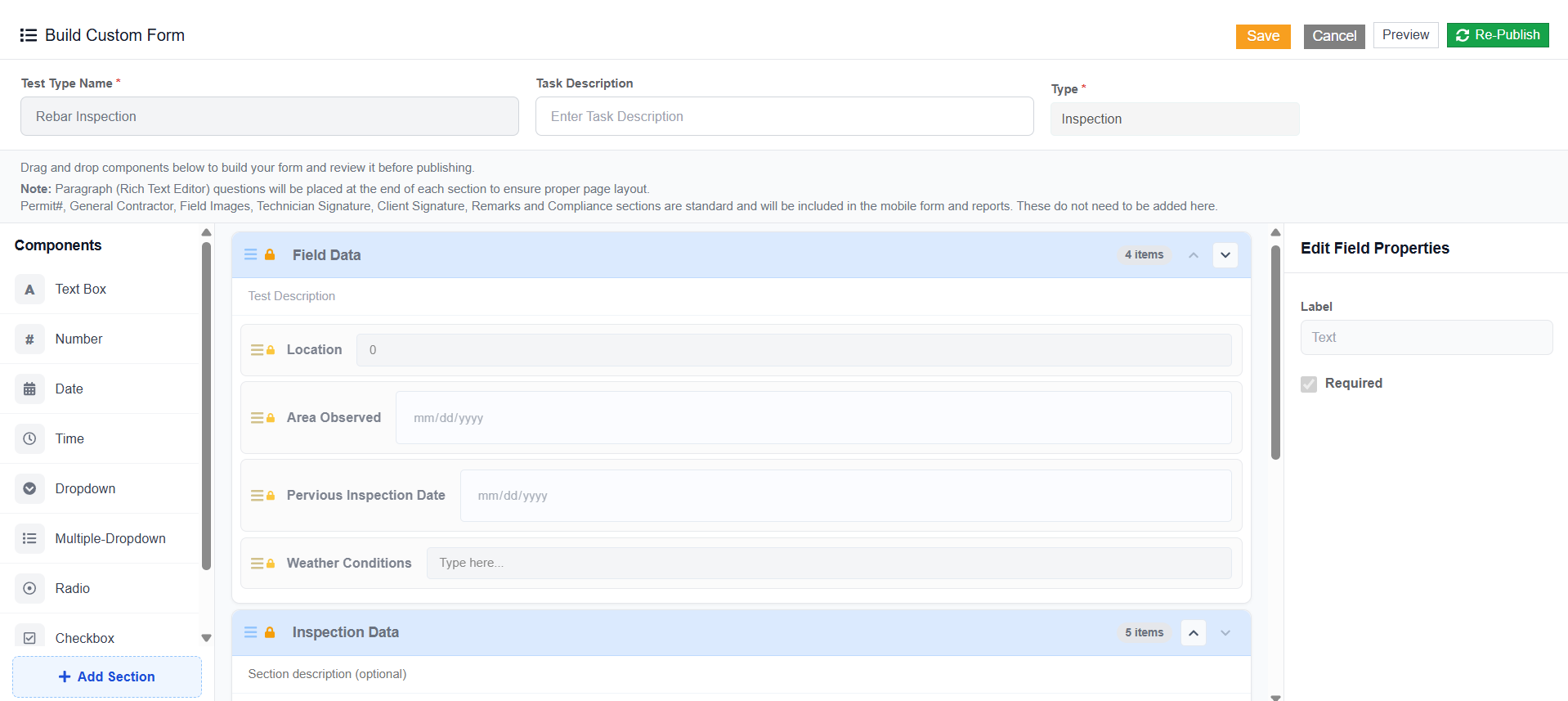
Custom Inspection Form Builder
Key Features
- Drag-and-drop form builder
- No programming or coding required
- Build forms for any inspection type, including rebar, masonry, bolted, fireproofing, reinforcing steel, and other inspection types
- Supports dropdowns, radio buttons, checkboxes, and mandatory fields
- Add photos, signatures, and attachments
- Open a form on the mobile app before going offline to keep working without a connection
- Reuse forms across projects
- Customize fields and required entries
- Seamlessly integrate custom forms into your existing eFieldData workflow
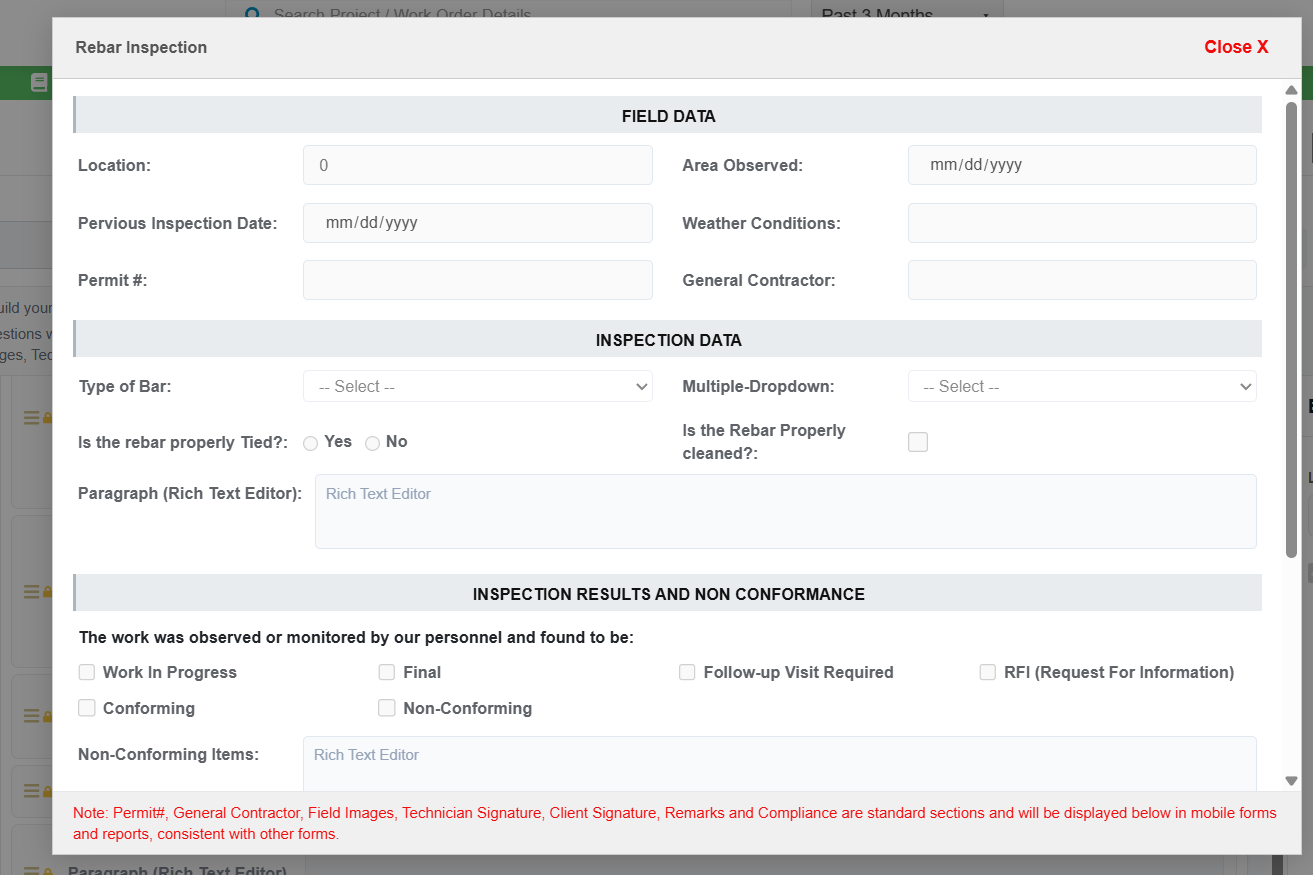
Preview Custom Inspection Form
Not Just a Form Builder. A Workflow Builder.
Unlike standalone form tools or rigid CMT systems, eFieldData Custom Inspection Forms are fully integrated into your entire workflow:
Scheduling → Field → Reports → Billing.
No disconnected systems. No manual re-entry. No delays.
No-Code Form Builder
Easily create and edit forms with a simple interface—no technical skills required.
Standards Compliant
Structure your forms to meet industry standards and compliance requirements, including ASTM / AASHTO / state DOT spec checklists.
Real-Time Updates
Push changes instantly to field and project teams—no downtime.
Fully Integrated Workflow
Forms connect directly to reports, approvals, and billing—no duplication.
Field and Inspection Flexibility
Create and customize simple inspection forms to match your workflows, from Rebar, Bolted, Masonry, Reinforcing Steel, and other inspection forms and checklists to fully custom formats.